Image Flipper — Flip or Mirror an Image Horizontally & Vertically
Flip an image in one click — horizontally, vertically, or both. Free, no watermark, no signup, and your photo never leaves your browser.
Choose imagesFlip an Image Without an App
or paste with Ctrl+V / ⌘V
Up to 30 images · 20 MB each · 16 megapixelsHow to flip an image in 3 steps

Add your image
Drop a file, paste from your clipboard, or browse on your device.
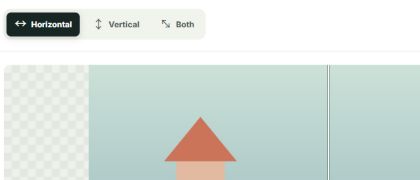
Choose a direction
Horizontal swaps left and right. Vertical swaps top and bottom. Both does both.

Compare and download
Check the before and after view, then download a clean file or a ZIP of your batch.
Formats and limits, clearly stated
JPG, PNG and still WebP download in the same format when your browser can encode it. Animated GIF keeps its frames and timing, with a 150-frame and total-size limit. HEIC, AVIF, BMP and TIFF are accepted as inputs and download as PNG. Animated WebP is not supported yet. Files are limited to 20 MB and 16 megapixels, with up to 30 in a batch.
Your images never leave your device
The flip runs in your browser. Files are not sent to our server or stored in an account. Your preview and download are created on your device.
✳What people flip images for
Un-mirror a selfie · Fix backwards text on shirts and signs · Balance a design layout · Make a mirrored meme · Prepare heat transfer artwork · Reframe social posts · Correct the direction of an AI-generated scene.
Flip, mirror, or rotate?
A horizontal flip is a mirror image: left and right trade places. A vertical flip swaps top and bottom. Both together equal a 180° rotation. To turn a portrait photo into landscape, you need a 90° rotation; flipping alone cannot do that.
| Operation | What changes | Typical use |
|---|---|---|
| Horizontal flip / mirror | Left and right swap | Selfies, reflected text |
| Vertical flip | Top and bottom swap | Upside-down reflections |
| Both directions | Left-right and top-bottom swap | 180° visual turn |
| Rotate 90° | Width and height exchange | Portrait to landscape |
Flip on any device
This browser tool works on desktop, tablet, and phone. You can also use Photos on iPhone, Paint on Windows, Preview on Mac, or an editor such as Photoshop or Canva. See our guide for the steps.
How to flipMore free image tools
Explore each flip direction, then open the free browser tool with the matching control selected.
Frequently asked questions
How do I flip an image?
Add an image, choose Horizontal, Vertical, or Both, then download it. No signup or watermark.
How do I flip an image horizontally?
Choose Horizontal. It swaps left and right, which fixes mirrored selfies and backwards text.
How do I flip an image vertically?
Choose Vertical. It swaps top and bottom, making the image look upside down.
What does mirror flip mean?
Mirror flip usually means a horizontal flip: the left and right sides swap places.
How do I flip a photo upside down?
Use Vertical. Choosing Both is equivalent to a 180° rotation.
How do I flip an image 90 degrees?
A 90° turn is a rotation, not a flip. This tool mirrors images; a rotation turns the image around its center. See the flip vs. rotation comparison.
How do I flip a photo from vertical to horizontal?
A flip mirrors the image but does not change its portrait or landscape shape. To change orientation, rotate it 90°.
Is it free and without a watermark?
Yes. Every download is free, with no watermark or account required.
Can I make a mirrored meme image?
Yes. A horizontal flip makes the familiar mirrored-face effect.
Can I flip several images at once?
Yes. Add up to 30 images and download each one or a ZIP of the batch.
How do I flip an image online?
Add your image to the browser tool, choose a direction, compare the preview, and download the result without signing up.