Flip Image Vertically — Turn a Photo Upside Down
Swap top and bottom without changing the canvas size. The vertical direction is selected for you below.
Choose imagesDrop your images here
or paste with Ctrl+V / ⌘V
Up to 30 images · 20 MB each · 16 megapixelsWhat a vertical flip changes
A vertical flip reflects the image across a horizontal line: the top moves to the bottom and the bottom moves to the top. Left and right remain in their original positions, and the pixel dimensions do not change.
Use it to turn an upside-down reflection into the position you need or to build symmetrical top-and-bottom artwork. If you want a left-to-right mirror, switch to Horizontal; if you need a quarter-turn, use rotation instead.
How to flip an image in 3 steps

Add your image
Drop a file, paste from your clipboard, or browse on your device.
Choose a direction
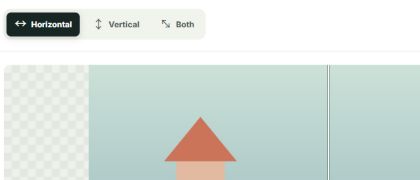
Horizontal swaps left and right. Vertical swaps top and bottom. Both does both.

Compare and download
Check the before and after view, then download a clean file or a ZIP of your batch.
Formats and limits, clearly stated
The vertical tool accepts JPG, PNG, WebP, GIF, HEIC, AVIF, BMP, and TIFF files up to 20 MB and 16 megapixels. Animated GIF retains its frames and timing. HEIC, AVIF, BMP, and TIFF results are saved as PNG.
Your images never leave your device
A vertical flip is performed locally in your browser. We do not send the source photo or the finished image to a server, and no account is needed to download it.
✳What people flip images for
Un-mirror a selfie · Fix backwards text on shirts and signs · Balance a design layout · Make a mirrored meme · Prepare heat transfer artwork · Reframe social posts · Correct the direction of an AI-generated scene.
Flip, mirror, or rotate?
A horizontal flip is a mirror image: left and right trade places. A vertical flip swaps top and bottom. Both together equal a 180° rotation. To turn a portrait photo into landscape, you need a 90° rotation; flipping alone cannot do that.
| Operation | What changes | Typical use |
|---|---|---|
| Horizontal flip / mirror | Left and right swap | Selfies, reflected text |
| Vertical flip | Top and bottom swap | Upside-down reflections |
| Both directions | Left-right and top-bottom swap | 180° visual turn |
| Rotate 90° | Width and height exchange | Portrait to landscape |
Flip on any device
This browser tool works on desktop, tablet, and phone. You can also use Photos on iPhone, Paint on Windows, Preview on Mac, or an editor such as Photoshop or Canva. See our guide for the steps.
How to flipMore free image tools
Choose the page that matches your task. Each one opens the same free tool with the right direction preselected.
Frequently asked questions
How do I flip an image vertically?
Choose Vertical to swap the top and bottom of the image, then save the preview.
How do I turn a photo upside down?
Use Vertical. This reverses the top and bottom without changing the photo's width or height.
Is a vertical flip the same as a 180-degree rotation?
No. A vertical flip mirrors top and bottom; a 180-degree rotation also swaps left and right.
Can I flip a picture from top to bottom?
Yes. Select Vertical in the tool to reflect the picture across a horizontal axis.
Does vertical flipping change the image dimensions?
No. The image keeps the same pixel width and height; only the top-to-bottom orientation changes.
Can I flip a GIF vertically?
Yes. Animated GIF frames and timing are kept when the flipped result is encoded.
Can I flip an image upside down without uploading it?
Yes. The flip is processed in your browser, and the image file is not uploaded to our server.